


Mozello Review For Small eCommerce Stores

Most small business websites fail before they launch because the setup feels bigger than the business itself.
A founder wants a clean homepage, a few product pages, payment options, delivery settings, and basic SEO. Instead, they often end up comparing hosting plans, plugins, themes, checkout tools, and technical settings that slow everything down.
That is where Mozello becomes interesting. It is not trying to be the most complex website system on the market. It is built for people who want to create a professional website, add an online store, and keep the daily management simple.
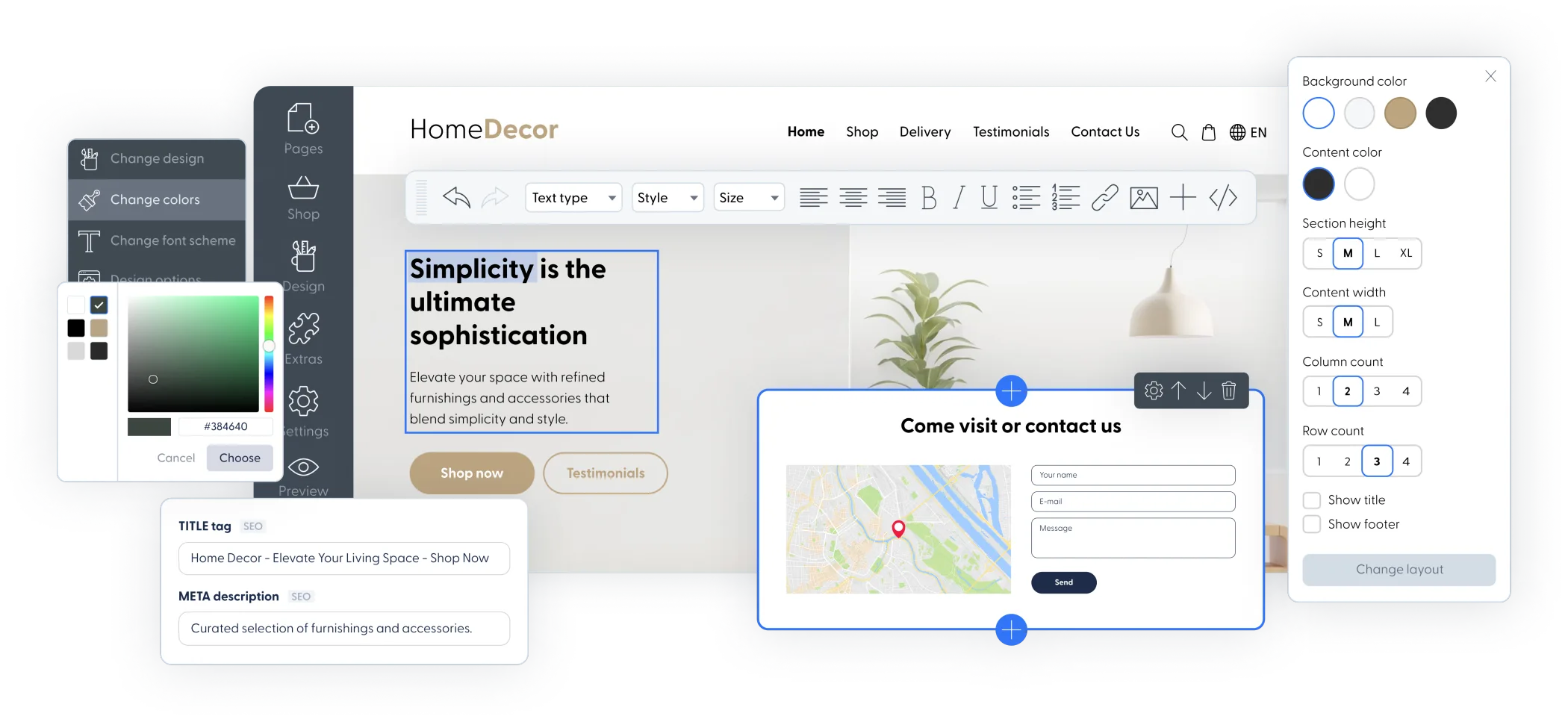
What Mozello Is Built to Solve
Mozello is best understood as a lightweight website builder with online selling features, not as a heavy enterprise commerce stack. That distinction matters because the right platform depends on how much control, complexity, and maintenance you actually want.
According to Mozello’s own website, the platform helps users create a website, blog, or online store with hosting included and no coding required. Its online store page also highlights payment acceptance, delivery options, SEO features, mobile-friendly design, multilingual support, digital product support, and integrations.
The real problem is not building a site
Many small business owners can technically build a site with enough time. The harder issue is building one they can keep updating without needing a developer every time a product, price, page, or photo changes.
Mozello’s value is in reducing that operational friction. You get a visual builder, ready-made layouts, hosting, SSL, store tools, and a simpler admin experience in one place.
- Local shops can create a basic online presence without hiring a web agency.
- Creators can sell products or digital files without managing separate hosting.
- Service businesses can publish pages, contact forms, and simple offers quickly.
- Small brands can test online selling before investing in a more advanced stack.
The tradeoff is clear: simplicity usually means less deep customization. For many early-stage merchants, that is a fair exchange.
Why Mozello Works Well for Beginners
A beginner-friendly builder should not force the user to understand hosting, plugins, caching, theme conflicts, or checkout architecture. Mozello keeps the setup closer to writing, uploading, arranging, and publishing.
No-code editing keeps the work moving
Mozello’s point-and-click style editor is useful for merchants who need to move quickly. You can create pages, edit sections, update images, and adjust content without touching code.
This is especially helpful when the website is part of a broader business launch. You may already be dealing with product sourcing, packaging, customer support, social content, and local operations. A simpler website builder helps protect your focus.
| Need | Why it matters | How Mozello helps |
|---|---|---|
| Fast launch | You need a working site before perfect branding | Templates and built-in hosting reduce setup time |
| Low maintenance | Small teams cannot manage technical issues daily | Hosting, security, and updates are handled by the platform |
| Basic selling | Many stores need simple checkout before advanced commerce | Store, product, payment, and delivery tools are included |
| International reach | Some businesses need more than one language | Mozello includes multilingual website support |
If your first goal is “get a credible site live,” Mozello fits that mindset better than platforms that expect you to configure many moving parts first.
How the Online Store Builder Fits Small Sellers
A website builder becomes more valuable when it lets a business sell, not just publish. Mozello’s online store builder is aimed at small sellers that want product pages, checkout, payment options, and delivery settings without rebuilding the site around commerce software.
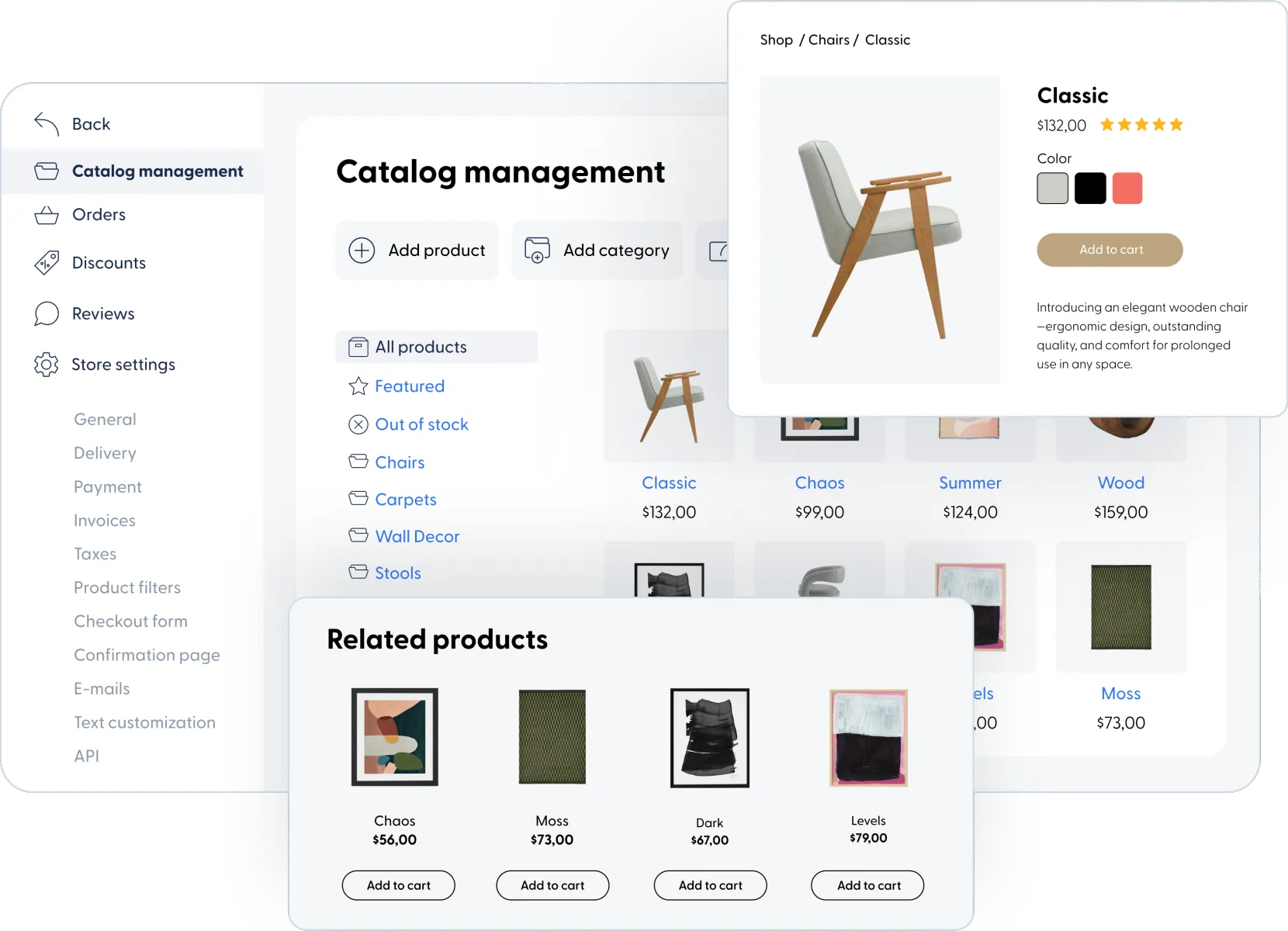
Useful selling features are already included
Mozello’s online store page lists features such as online payments, customizable delivery options, marketing and SEO tools, mobile-friendly shopping, eCommerce integrations, multilingual support, digital product selling, and design customization.
That feature set is enough for many small merchants selling physical goods, digital products, local services, handmade items, or simple product catalogs.
- Create the store and add products with descriptions, images, and prices.
- Set up payment and delivery options that match your market.
- Publish the store and use SEO, content, and social channels to attract customers.
- Review orders, update stock, and refine product pages as you learn what sells.
The platform’s promise is not that you will have every advanced commerce feature from day one. Its promise is that you can start selling with fewer barriers.
When this matters most
This matters when the business is still validating products, offers, or markets. A small seller does not always need complex segmentation, custom checkout scripts, or advanced inventory workflows at the beginning.
They need a store that looks trustworthy, works on mobile, accepts orders, and can be managed without a full technical team.
Where Mozello May Feel Limited
No website builder is perfect for every business. Mozello’s simplicity is a strength, but it can also become a limitation if your store grows into more complex operations.
Advanced customization is not the main appeal
If you want deep design freedom, a large app marketplace, complex checkout customization, advanced automation, or highly specific integrations, Mozello may feel too streamlined.
That does not make it weak. It simply means it is better suited to merchants who value clarity over endless control.
- Choose Mozello if you want a simple website and store you can manage yourself.
- Be cautious if your business depends on many niche integrations from day one.
- Consider your future needs if you expect large catalog complexity very quickly.
- Test the workflow before committing all operations to one platform.
There are also mixed user reviews online, which is common for website builders. Some users praise the ease of use, while others raise concerns about support, account issues, or limitations. That is why a practical trial is important before moving an established business.
Who Should Consider Mozello
Mozello makes the most sense for businesses that need a clean, manageable website more than a complex technical system. The best fit is usually a small team that wants to launch, sell, and update content independently.
Good-fit use cases
A local boutique, handmade product seller, consultant, small studio, creator, or regional service provider could use Mozello to build a professional website with basic commerce features.
It is also worth considering for merchants who want multilingual pages. Many small businesses serve customers across regions or languages, but not every beginner-friendly builder makes that simple.
Before: A business relies only on social media profiles, scattered messages, and manual order collection.
After: The business has a branded website, product pages, store structure, and a place customers can visit directly.
Less ideal use cases
Mozello may not be the right long-term home for a high-volume store with advanced warehouse logic, complex B2B pricing, custom checkout rules, or a large integration roadmap.
In those situations, the business may eventually need a more specialized commerce platform. But for an early-stage store or a simple catalog business, starting with Mozello can be a practical way to avoid overbuilding.
A Practical Launch Checklist
The best way to evaluate Mozello is to test it against the work your business actually needs to complete. Do not judge only by feature lists; judge by how quickly you can publish a usable customer experience.
Use this checklist before publishing
- Build a homepage that explains who you serve and what you sell.
- Create product or service pages with clear pricing and strong images.
- Set payment options and test checkout from a customer’s point of view.
- Configure delivery, pickup, or digital product delivery rules clearly.
- Check the mobile version of every important page.
- Add basic SEO titles, descriptions, and readable URLs.
- Publish contact information, return policies, and support details.
If you can complete that list without confusion, the platform is probably simple enough for your day-to-day workflow.
Final Thoughts
Mozello is a practical choice for merchants who want a simple website builder with enough eCommerce features to start selling online. It is not the deepest platform for advanced customization, but that is not the point.
The point is speed, clarity, and independence. If your business needs a professional website, basic store tools, multilingual support, and a lower-maintenance setup, Mozello is worth testing before you commit to a heavier system.
Start building your website with Mozello if you want a straightforward way to launch a small business site and online store without turning the project into a technical rebuild.
FAQ
Is Mozello good for a first online store?
Yes, Mozello can work well for a first store if you need simple product pages, payments, delivery settings, and a manageable website builder.
Can Mozello handle multilingual websites?
Yes, multilingual support is one of Mozello’s notable strengths, especially for small businesses serving customers in different regions or languages.
Is Mozello better for simple or advanced stores?
Mozello is better for simple stores, local businesses, creators, and small catalogs. Advanced operations may need a more customizable commerce platform later.
Do I need coding skills to use Mozello?
No, Mozello is designed for no-code website building. Basic content, pages, design, products, and store settings can be managed without development skills.
We only recommend tools we've tested and trust. This post may include affiliate links, meaning we may earn a commission if you choose to purchase - at no extra cost to you.


