


Choose eSUN Filament for Better 3D Prints

Choosing 3D printer filament is not only about selecting a color. Material type, printer settings, nozzle setup, print strength, flexibility, finish, and storage conditions can all affect the final result.
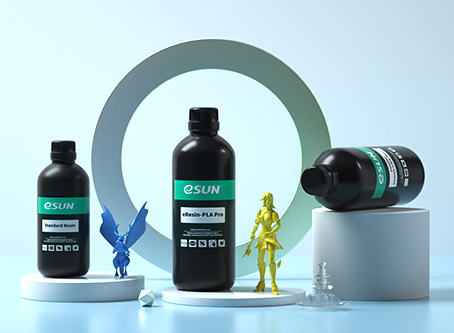
eSUN offers 3D printing materials across common, specialty, flexible, engineering, and resin categories. It can be useful for makers who want to compare filament options based on the kind of parts they plan to print.
This guide explains how to compare eSUN materials more carefully, what to check before ordering, and how to avoid choosing filament that does not match your printer or project.
Start With the Object You Want to Print
The right filament depends on the final object. A decorative model, prototype, display piece, flexible part, outdoor item, or functional bracket may each need a different material.
Before browsing colors or finishes, think about whether the part needs strength, flexibility, weather resistance, a smooth surface, lightweight performance, or a visual effect.
This project-first approach can make it easier to choose between common materials such as PLA, PETG, TPU, ABS, and more specialized options.
Compare Filament Types by Use Case
eSUN offers several filament categories, so it helps to compare materials by practical use rather than choosing only by product appearance.
| Material type | Common use case | What to check |
|---|---|---|
| PLA and PLA+ | General models, prototypes, decorative prints, and beginner projects. | Review finish, color, printer settings, and intended part strength. |
| PETG | Everyday functional parts that may need more durability. | Check temperature capability, bed adhesion, and post-processing needs. |
| TPU and flexible materials | Flexible parts, grips, covers, and soft components. | Confirm extruder compatibility and recommended print speed. |
| ABS, ASA, and engineering materials | More demanding projects that may need greater heat or weather resistance. | Review printer enclosure, ventilation, temperature, and safety needs. |
| Specialty filaments | Visual projects using matte, silk, rainbow, wood, carbon-fiber, or other finishes. | Check nozzle recommendations, print purpose, and finish expectations. |

What to Check Before Buying eSUN Filament
A filament spool should fit your printer as well as your project. Before checkout, compare the material details with your current hardware and usual print settings.
- Confirm your printer supports the material you want to use.
- Check filament diameter, spool size, and nozzle requirements.
- Review recommended temperature and bed settings.
- Consider whether your printer has an enclosure for more demanding materials.
- Check whether abrasive or fiber-filled filament may require a suitable nozzle.
- Read storage guidance, especially for materials affected by moisture.
- Review current shipping, support, and return terms before ordering.
When using a new material for the first time, start with a small test print instead of using it immediately for an important project.
When PLA, PETG, and TPU Make Sense
These three material groups are often compared because they can fit many common 3D printing needs. The best option depends on the type of part you want to make and the behavior you expect from it.
PLA for everyday projects
PLA can be a practical starting point for users making display models, prototypes, organizers, hobby prints, and general-purpose items. It is often chosen when ease of printing and visual variety matter.
PETG for tougher functional prints
PETG may be worth considering when a project needs a more practical material choice for regularly handled parts. Review your printer settings and bed preparation before using it.
TPU for flexible parts
TPU and other flexible filaments can be useful for parts that need bend or give. These materials may need slower, more careful printing, so compatibility and setup guidance matter.
Specialty Filament Needs More Planning
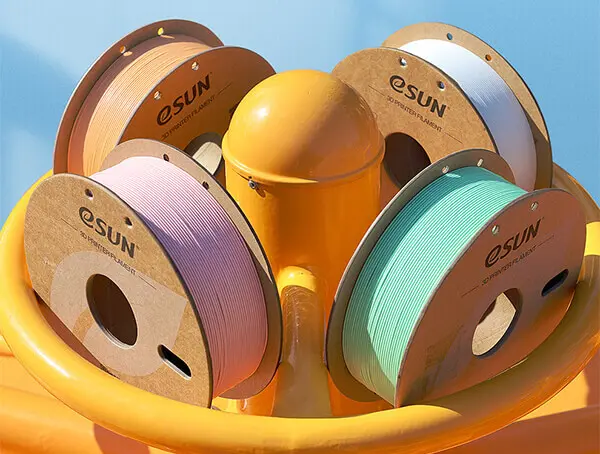
Specialty materials can create interesting results, but they should be chosen with realistic expectations. A silk, matte, rainbow, wood-filled, carbon-fiber, or high-speed filament may require changes to your normal setup.
Before ordering a specialty material, check whether the visual finish is the main goal or whether the part also needs strength, flexibility, heat resistance, or durability. A beautiful filament may not be the best option for a heavily used functional part.
- Choose silk or rainbow materials for visual-focused prints.
- Consider matte materials when you want a softer textured finish.
- Check nozzle guidance before printing fiber-filled materials.
- Review printer capability before selecting high-speed or engineering materials.
- Store specialty materials carefully to protect print consistency.
Common Filament Buying Mistakes
Most material problems can be avoided by checking compatibility before ordering. A filament may be high quality but still not fit the printer, nozzle, project, or environment you have.
- Choosing filament by color without checking the material type.
- Using the same settings for PLA, PETG, TPU, and specialty materials.
- Buying abrasive filament without reviewing nozzle suitability.
- Ignoring storage needs for moisture-sensitive materials.
- Expecting a decorative material to perform like an engineering material.
- Ordering large quantities before testing one spool first.
A small test print can help you adjust temperature, speed, bed adhesion, and retraction settings before using a new spool for an important part.
A Practical eSUN Buying Workflow
Use this checklist before choosing eSUN filament or resin products. It can help you buy based on project fit instead of guesswork.
- Decide what object you want to print and how it will be used.
- Confirm your printer model, nozzle, bed type, and material capability.
- Choose a material category that matches your strength, flexibility, or finish needs.
- Review diameter, spool size, recommended settings, and storage guidance.
- Check whether your project needs standard, specialty, flexible, or engineering filament.
- Read current shipping, return, and support details before checkout.
- Run a small test print before starting a larger project.
This workflow can make material choices easier and help reduce wasted filament, failed prints, and unnecessary troubleshooting.
Final Thoughts
eSUN can be useful for makers who want to compare standard, specialty, flexible, engineering, and resin-based 3D printing materials in one place.
The best filament is not always the brightest color or most unusual finish. It is the material that fits your printer, your print settings, and the way the final part will be used.
Use eSUN to compare 3D printing materials and review product details carefully before buying.
FAQ
What does eSUN sell?
eSUN sells 3D printing materials, including common filaments, specialty filaments, flexible materials, engineering materials, resins, and related accessories.
Which eSUN filament is best for beginners?
Many beginners start with a general-purpose filament that matches their printer and project. Check your printer guidance and the product page before choosing.
Is PETG harder to print than PLA?
PETG may need different settings and bed preparation than PLA. Test with a small print and review the material guidance before using it for a larger project.
Can I use flexible filament in any printer?
Not always. Flexible materials can require compatible extruder hardware and adjusted print settings, so check your printer’s capability first.
How should I store 3D printer filament?
Store filament in a clean, dry place and follow the material-specific storage guidance, especially for filaments that may be affected by moisture.
We only recommend tools we've tested and trust. This post may include affiliate links, meaning we may earn a commission if you choose to purchase - at no extra cost to you.


