


ReadKidz Guide For Easier Kids Story Creation

Creating content for children is harder than it looks. A good story needs a clear idea, age-appropriate language, consistent characters, engaging illustrations, and a format that fits how children actually read, watch, and listen.
ReadKidz is an AI-powered kids content creation platform built for picture books, children’s stories, story videos, book series, illustrations, dubbing, and creative planning. It helps users move from a rough idea to a more complete children’s media project without switching between too many separate tools.
The platform can be useful for teachers, parents, children’s authors, educational creators, kids content teams, and social video creators who need faster ways to build story-based content.
This guide explains how ReadKidz works, when it is most helpful, what to check before publishing, and how to use AI responsibly when creating content for children.
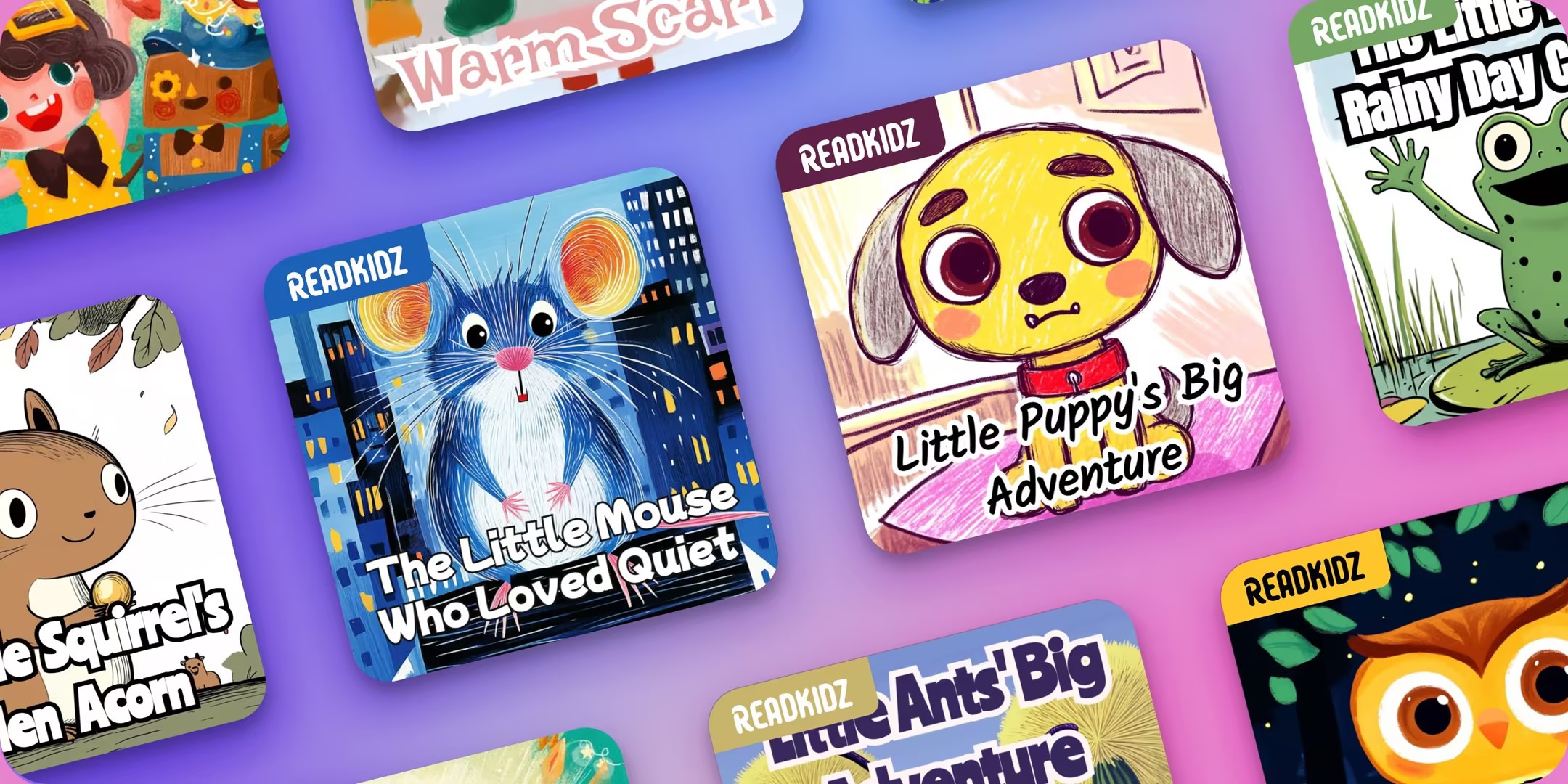
Why Children’s Content Needs More Than a Prompt
AI can make story creation faster, but children’s content still needs care. A prompt can generate ideas, but the creator still needs to review tone, values, reading level, visual consistency, and whether the result makes sense for a real child audience.
ReadKidz is most useful when it supports that review process instead of replacing it.
Age level matters
A story for preschool children should not read like a story for older elementary students. Sentence length, vocabulary, emotional complexity, and lesson structure should match the child’s stage.
Creators should always review AI-generated text and simplify, soften, or clarify it when needed.
Visual consistency matters
Children often follow stories through character appearance, setting, color, and repeated visual cues. If a character changes too much from page to page, the story can feel confusing.
ReadKidz highlights character consistency and story continuity as part of its platform, which can help creators keep a more coherent visual flow.
Human review still matters
AI can help generate drafts, images, and media assets, but adults should review every story before sharing it with children. This includes checking safety, accuracy, cultural sensitivity, emotional tone, and any educational claims.
For classroom or commercial use, creators should also review copyright and usage terms carefully.
What ReadKidz Helps Creators Make
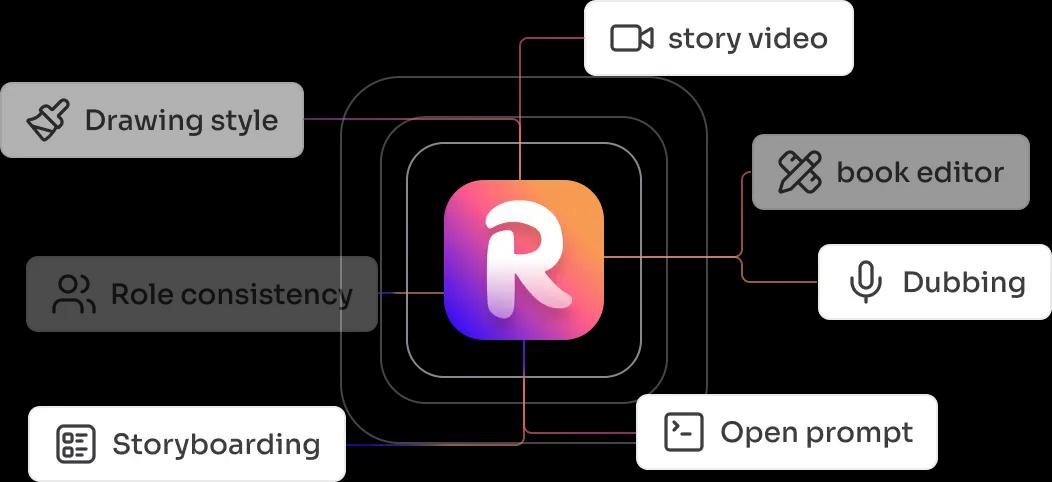
ReadKidz presents itself as an all-in-one kids content studio. Its official site says users can create children’s books, stories, book series, story videos, and other media works with templates, drawing styles, and dubbing options.
This makes it useful for creators who want to turn one idea into multiple child-friendly formats.
Picture book stories
Picture books need simple structure, repeated visual logic, and a clear beginning, middle, and ending. ReadKidz can help turn a story idea into a visual book draft that creators can then refine.
This is helpful for authors, parents, and teachers who have ideas but need support with layout and illustration flow.
Story videos
Some children engage more easily with narrated or animated story formats. ReadKidz includes story video creation and dubbing-related features that can help creators produce content for video-based learning or bedtime storytelling.
Creators should still preview pacing, voice, subtitles, and scene transitions before sharing a video publicly.
Book series
Book series require stronger consistency because the same characters, tone, and world may appear across multiple stories. ReadKidz can support continuity across story projects, which is useful for recurring classroom characters or kids channel concepts.
Series planning is also helpful for creators who want to build a themed content library over time.
How to Use ReadKidz in a Practical Workflow
The best way to use ReadKidz is to begin with a clear goal. Do you want a bedtime story, a classroom reading activity, a short story video, a character-based book series, or a themed educational story?
Once the goal is clear, the AI output becomes easier to guide and review.
- Choose the audience age and reading level.
- Write the main lesson, theme, or emotional goal.
- Create the story concept or use a template.
- Generate the first draft and illustrations.
- Review character consistency across pages or scenes.
- Edit language for clarity and age fit.
- Preview the story as a book, video, or series concept.
- Check copyright, safety, and publishing rules before sharing.
Start with a simple story brief
A good brief should include the child’s age range, main character, setting, problem, lesson, and desired tone. This gives the platform clearer direction.
For example, a teacher may ask for a gentle story about sharing toys, while a creator may ask for a bedtime adventure about curiosity and courage.
Edit before exporting
AI drafts should be treated as drafts. Read the story out loud, check whether the pacing feels natural, and remove anything that feels too complex, scary, or unclear for the target age.
This human editing step is what makes the final content more useful.

Helpful Use Cases for ReadKidz
ReadKidz can fit several creator types because children’s content appears in classrooms, homes, social channels, learning apps, bedtime routines, and independent publishing projects.
The strongest use case depends on how the final content will be used.
For teachers
Teachers can use ReadKidz to create short stories around classroom values, reading practice, science concepts, social-emotional learning, or seasonal themes.
The benefit is speed. A teacher can create a story that matches a lesson instead of searching for a perfect existing resource.
For parents
Parents can use ReadKidz to make personalized stories around bedtime routines, family events, birthdays, fears, habits, or learning goals.
A story featuring familiar interests can make reading feel more personal for a child.
For content creators
Kids content creators can use ReadKidz for story ideas, character concepts, video scripts, narration planning, and book series development.
Creators should still make sure each piece of content is appropriate, original, and aligned with platform rules.
| User type | Best use case | What to review |
|---|---|---|
| Teacher | Classroom stories and reading practice | Age level and lesson accuracy |
| Parent | Personalized bedtime stories | Tone and emotional comfort |
| Author | Picture book drafts and series ideas | Plot, originality, and visual flow |
| Video creator | Story videos and dubbing | Pacing, voice, and child safety |
What to Check Before Publishing Children’s Content
Publishing children’s content requires more care than publishing general entertainment. The audience is young, so creators should be extra thoughtful about safety, clarity, and trust.
Use this checklist before exporting or sharing a ReadKidz project.
- Is the reading level right for the child’s age?
- Does the story have a clear and gentle structure?
- Are the characters visually consistent?
- Are the images appropriate and not confusing?
- Is the lesson or theme accurate and safe?
- Is any sensitive topic handled carefully?
- Have you checked copyright and platform rules?
- Have you reviewed the final book or video from beginning to end?
Check voice and dubbing carefully
If you create narrated content, preview the full audio. Listen for pronunciation, pacing, emotional tone, and whether the voice feels suitable for the age group.
Children’s content should feel warm, clear, and easy to follow.
Check image source and rights
When using external images, screenshots, or generated visuals, make sure you understand whether they can be used in the final project. This is especially important for commercial use.
For the YouTube thumbnail below, the source should be credited as the ReadKidz YouTube channel.

A Safer AI Workflow for Kids Stories
AI can make production faster, but responsible use is still important. Creators should treat ReadKidz as a creative assistant and keep human judgment at the center.
A safer workflow can help protect quality and trust.
- Define the audience age and content purpose.
- Generate a first draft with a clear prompt.
- Review the story for safety and tone.
- Edit language to match the child’s reading level.
- Check images for consistency and appropriateness.
- Preview the final book or video fully.
- Keep records of prompts, edits, and publishing rights.
Do not publish raw AI output
Raw AI output can include awkward language, inconsistent scenes, or details that do not fit the target audience. Editing protects the quality of the finished project.
This is especially important for educational stories, bedtime content, or public-facing kids media.
Who Should Consider ReadKidz
ReadKidz is a good fit for people who create stories, educational media, or children’s video content and want an integrated workflow. It is especially useful when users need text, visuals, series planning, and video support in one place.
The platform may fit several kinds of users.
- Teachers creating custom classroom stories.
- Parents making personalized bedtime stories.
- Children’s authors drafting picture book ideas.
- Kids video creators planning story videos.
- Educational teams producing child-friendly learning content.
- Creators who need consistent characters across a series.
Ready to turn children’s story ideas into a more complete creative project?
Final Thoughts
ReadKidz can help creators move from idea to children’s book, story video, or series concept more efficiently. Its combination of story generation, illustration tools, templates, drawing styles, dubbing, and continuity support makes it useful for users who want a more organized kids content workflow.
The best results still need human review. Creators should check age fit, story tone, image consistency, safety, copyright, and platform rules before sharing any children’s content.
Use ReadKidz to create children’s stories with a clearer workflow if you want AI support for picture books, story videos, book series, and child-friendly creative projects.
FAQ
Who is ReadKidz for?
ReadKidz is for teachers, parents, authors, and content creators who want to create children’s books, stories, videos, and book series with AI support.
Can ReadKidz create story videos?
Yes. ReadKidz supports children’s story videos and dubbing-related workflows, along with e-books, picture books, and book series.
Should I edit ReadKidz output before publishing?
Yes. Always review language, age fit, story safety, image consistency, and publishing rights before sharing children’s content.
Can ReadKidz help with character consistency?
Yes. ReadKidz highlights continuity of characters and pictures, which can help creators build more consistent stories and series.
We only recommend tools we've tested and trust. This post may include affiliate links, meaning we may earn a commission if you choose to purchase - at no extra cost to you.


