


OBDeleven Guide For Smarter Car Diagnostics

A dashboard warning light can make any driver feel unsure. You may not know whether the problem is urgent, minor, expensive, or simply something that needs a closer look before a workshop visit.
OBDeleven is a smartphone-based OBD2 scanner and car diagnostic tool. It helps drivers scan vehicle systems, read fault codes, clear minor faults, view live data, and customize supported features through the app.
The platform is especially useful because it connects diagnostics with guided customization. Instead of guessing what the vehicle is reporting, drivers can use OBDeleven to understand issues more clearly and manage supported features with more confidence.
This guide explains what OBDeleven does, who should consider it, how One-Click Apps work, and what safety checks to make before changing anything on a vehicle.

What OBDeleven Helps Drivers Do
OBDeleven connects a diagnostic device to a vehicle’s OBD2 port and pairs it with a mobile app. The goal is to make diagnostics and supported feature adjustments easier for everyday drivers and more advanced car users.
It can be helpful for checking warning lights, understanding trouble codes, and deciding whether a vehicle needs deeper inspection.
Scan vehicle systems
OBDeleven can scan vehicle systems and show diagnostic trouble codes. This gives drivers more context before they contact a mechanic or service center.
A scan does not replace professional repair advice, but it can help users ask better questions and avoid being completely unaware of the issue.
Clear minor faults
OBDeleven can clear some minor faults after a scan. This may be useful when a temporary issue has already been resolved.
Drivers should not repeatedly clear the same warning without fixing the underlying cause. If a code returns, the vehicle likely needs proper inspection.
View live data
Live data can help users observe how certain vehicle systems are behaving. This is useful for people who want more information than a basic dashboard warning provides.
For complex diagnosis, live data should be interpreted carefully or reviewed with a qualified technician.
Check Compatibility Before Buying
Compatibility is one of the most important steps before buying any OBD2 tool. A feature that works on one car may not work on another car, even within the same brand family.
OBDeleven lists supported brands including Volkswagen, Audi, BMW, MINI, Toyota, Skoda, SEAT, CUPRA, Lamborghini, Bentley, Lexus, Rolls-Royce, Ford, and Mercedes-Benz.
Diagnostics are broad, features vary
OBDeleven says its scanner works with vehicles using the CAN-bus protocol, mainly vehicles manufactured from 2008 onward. However, advanced functions depend on brand licensing, country, model, equipment, and plan.
This means users should not assume every customization is available for every vehicle.
Check your exact vehicle
Before ordering, check your vehicle’s year, make, model, engine, market, and equipment. These details can affect whether a feature appears in the app.
This is especially important for One-Click Apps and advanced coding features.
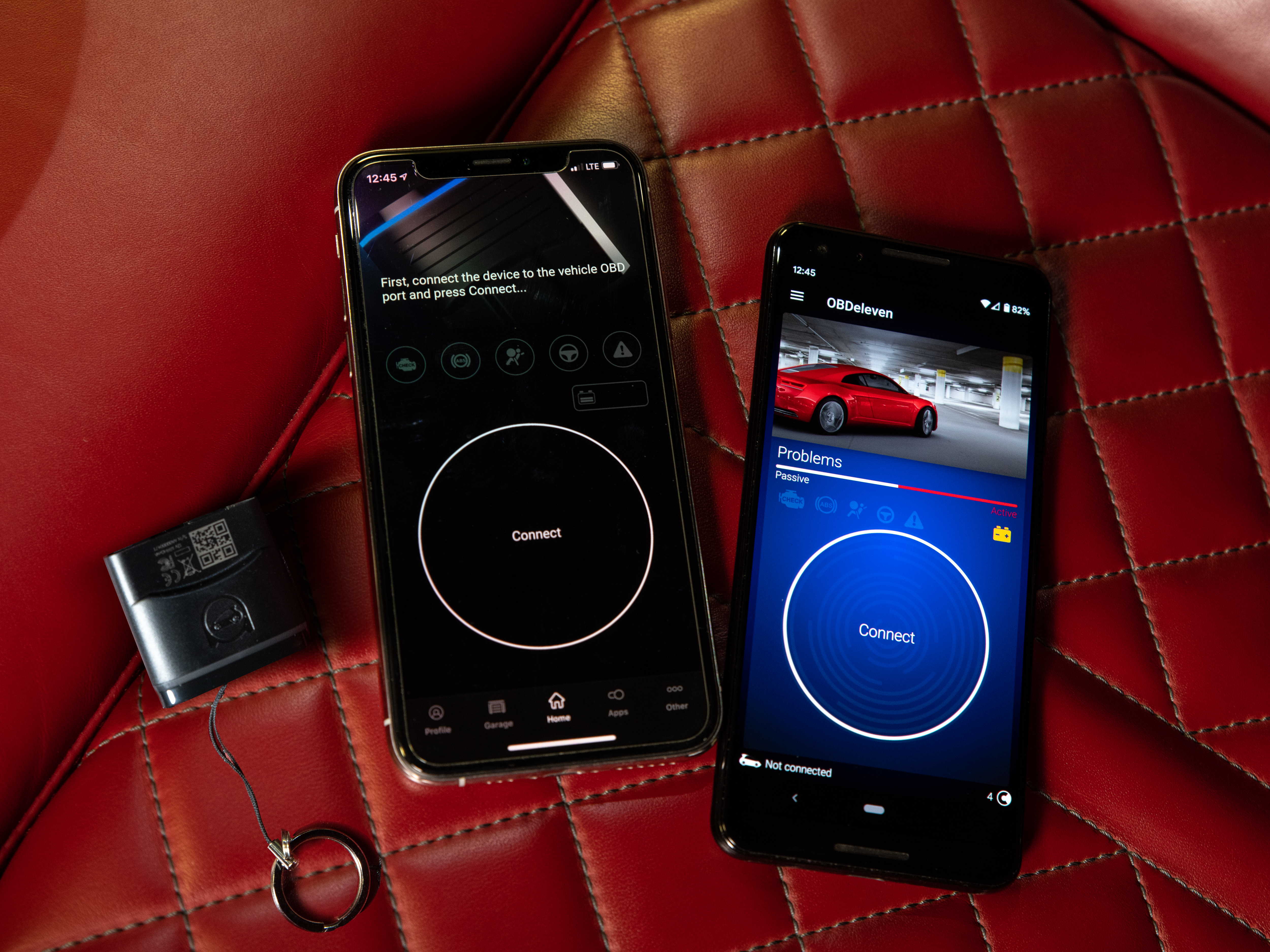
What One-Click Apps Mean
One-Click Apps are pre-made coding options that let users activate, turn off, or adjust supported vehicle features with a tap. They are designed to make certain customizations easier without manual coding.
They can be useful for supported comfort, service, lighting, convenience, and driving-related features.
Good for beginner-friendly changes
For users who do not want to write manual coding, One-Click Apps can make supported changes more approachable. The app shows available options based on the connected vehicle.
Always read the app description before applying a change so you understand what it will do.
Credits and plans matter
One-Click Apps may require Credits, and some users may prefer a paid plan if they expect to use many supported apps. OBDeleven also offers PRO and ULTIMATE plans for users who need more advanced functionality.
Before paying for credits or a plan, confirm that the features you want are available for your exact vehicle.
Some changes need extra caution
Even simple apps change vehicle settings. Avoid modifying safety-critical, legal, lighting, emissions, driver assistance, or unfamiliar functions unless you understand the effect.
When in doubt, leave the setting unchanged or ask a qualified professional.
| User need | Helpful feature | What to check first |
|---|---|---|
| Understand warning lights | Diagnostics scan | Code meaning and urgency |
| Clear a minor fault | Fault clearing | Whether the issue was fixed |
| Adjust supported features | One-Click Apps | Compatibility and credit cost |
| Advanced VAG work | Manual coding | User skill and plan requirements |
Manual Coding Is for Experienced Users
OBDeleven also supports advanced functions for users who want deeper control, especially on Volkswagen Group vehicles. This can include manual coding, adaptations, and SFD-related workflows.
These features are powerful, but they are not the right place for beginners to start.
Manual coding needs technical understanding
Manual coding is different from using a ready-made app. It can change vehicle behavior in ways that require research, backups, and a clear understanding of what each setting controls.
Beginners should start with diagnostics and simple supported apps before moving toward advanced coding.
SFD protection matters on newer VAG vehicles
SFD is a vehicle diagnostic protection layer used on newer Volkswagen Group models. It is designed to protect vehicle systems and track authorized changes.
Users working with newer Volkswagen Group vehicles should understand SFD and plan requirements before attempting advanced functions.
How to Use OBDeleven More Safely
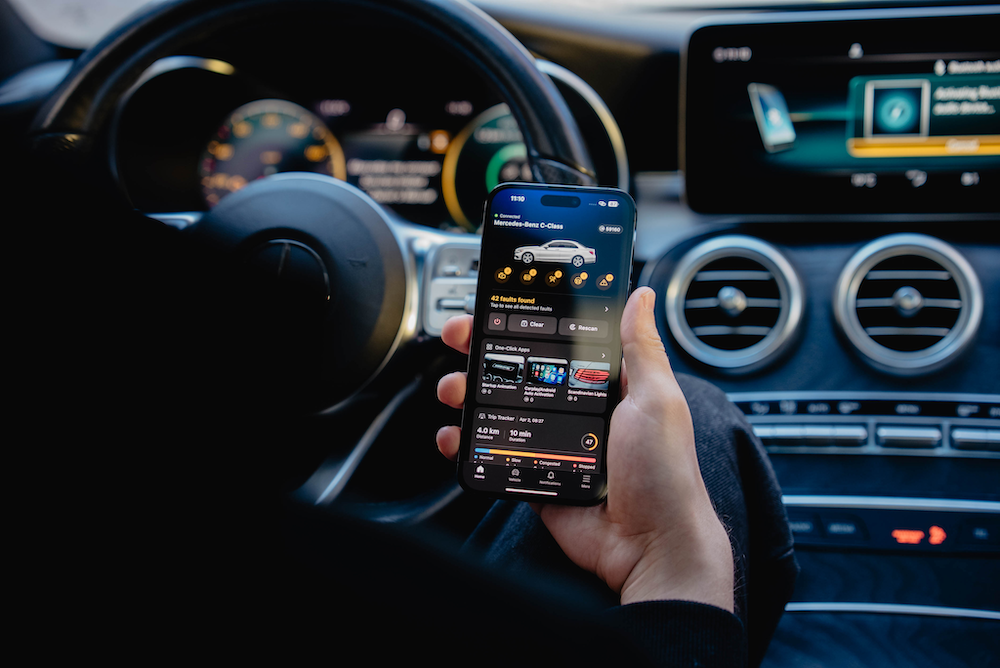
Car diagnostics are helpful, but vehicle systems are safety-related. OBDeleven should be used as a tool for visibility, maintenance support, and supported customization, not as a way to ignore real problems.
A basic workflow can reduce mistakes.
- Check vehicle compatibility before buying.
- Connect the device only when the vehicle is safely parked.
- Run a full scan before changing anything.
- Save or screenshot important scan results.
- Research any fault codes you do not understand.
- Use One-Click Apps only when the effect is clear.
- Avoid manual coding unless you know what you are doing.
- Visit a qualified mechanic for recurring or serious faults.
Do not ignore recurring codes
If the same fault code returns after being cleared, the vehicle likely still has an issue. Repeated clearing does not repair the problem.
Use the diagnostic result as a starting point for inspection or repair.

Choosing the Right OBDeleven Setup
The right setup depends on whether you need simple diagnostics, occasional customizations, or advanced coding. Buying too much may be unnecessary, while buying too little may limit the features you expected.
Start with your real use case.
For everyday drivers
Everyday drivers may mainly need diagnostics, live data, and basic visibility into vehicle faults. This can be enough for users who want to understand warning lights and monitor their car more confidently.
For customization users
Drivers who want One-Click Apps should review the credit model, supported features, and available plans. This helps avoid paying for features that do not match the vehicle.
For advanced users
Users who want manual coding, adaptations, or SFD-related workflows should review PRO and ULTIMATE plan details. This level is better for experienced users who understand vehicle systems.
Who Should Consider OBDeleven
OBDeleven can be useful for drivers who want more visibility into their car and a simpler way to access diagnostics from a smartphone. It is especially relevant for supported brands where One-Click Apps and coding features add extra value.
The tool may fit several types of users.
- Everyday drivers who want to understand warning lights.
- Car owners who like tracking fault codes and live data.
- Volkswagen Group enthusiasts interested in coding and adaptations.
- Drivers who want supported One-Click Apps for comfort features.
- Small workshops or experienced users who need portable diagnostics.
- Owners who want to check issues before visiting a mechanic.
Ready to understand your car better before guessing what a warning light means?
Final Thoughts
OBDeleven is a helpful tool for drivers who want smartphone-based diagnostics, trouble code scanning, supported feature customization, and more visibility into vehicle systems. It can be simple enough for everyday fault checks while still offering advanced features for experienced users.
The safest approach is to check compatibility first, use diagnostics responsibly, avoid unfamiliar coding, and treat recurring or serious faults as a reason for proper repair rather than repeated code clearing.
Use OBDeleven to diagnose and customize your car more confidently if you want an OBD2 scanner and app-based workflow for supported vehicle diagnostics and features.
FAQ
What is OBDeleven used for?
OBDeleven is used for car diagnostics, fault code scanning, live data, minor fault clearing, One-Click Apps, and advanced coding on supported vehicles.
Does OBDeleven support every car?
Diagnostics are broad for CAN-bus vehicles, but available features vary by brand, model, year, region, equipment, and plan. Check compatibility before buying.
What are One-Click Apps?
One-Click Apps are pre-made coding options that adjust supported vehicle features with a tap, usually using Credits or plan access.
Is manual coding safe for beginners?
Manual coding is better for experienced users. Beginners should start with diagnostics and simple supported apps, then learn carefully before changing advanced settings.
We only recommend tools we've tested and trust. This post may include affiliate links, meaning we may earn a commission if you choose to purchase - at no extra cost to you.


