


iMobie AnyTrans For Easier iPhone Data Control

Managing iPhone data gets frustrating when photos, messages, music, backups, iCloud files, and device transfers are spread across different tools. A user may only want to move a few files, back up important conversations, or set up a new device, but the process can quickly feel more complicated than it should.
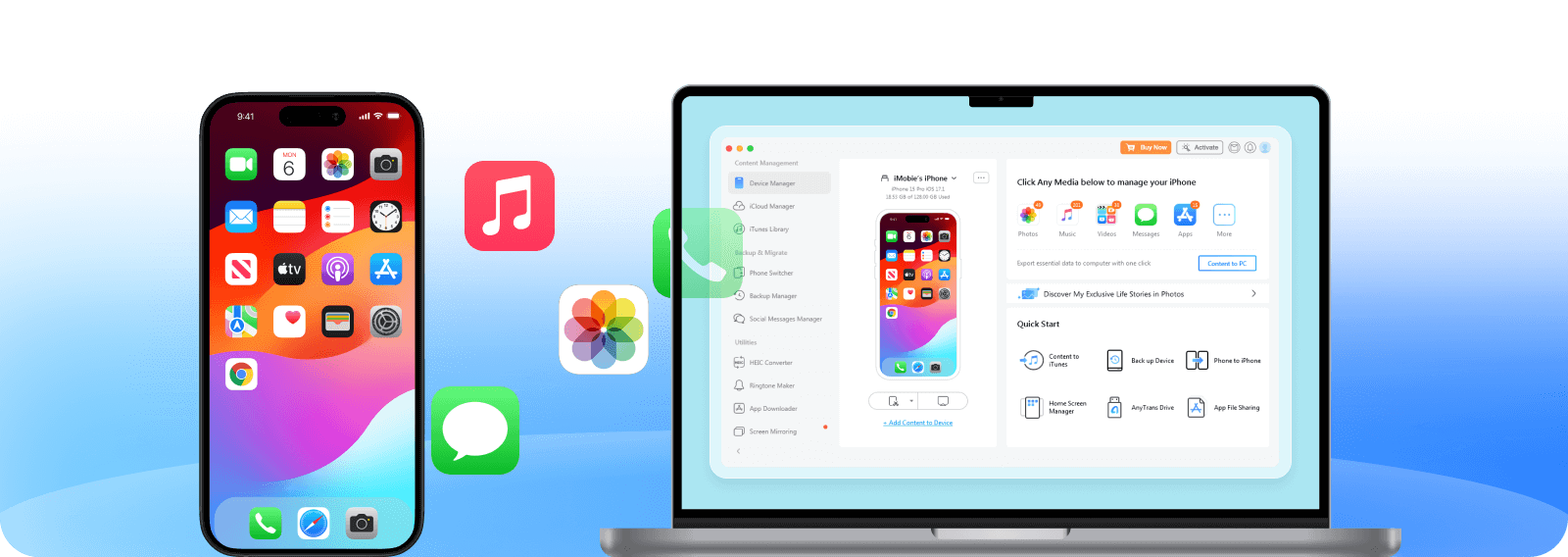
That is the problem iMobie AnyTrans is designed to solve. Instead of treating iPhone data management as a scattered task, it brings transfer, backup, restore, iCloud, iTunes, and app-related workflows into one more organized desktop experience.
For individuals, families, creators, and small teams, the value is control. AnyTrans helps users move content between devices, back up important data, manage files more flexibly, and reduce the stress that comes with phone upgrades or storage cleanup.
This guide explains how iMobie AnyTrans can simplify iPhone data control, where it is most useful, and what users should consider before choosing an iOS data management tool.
Why iPhone Data Management Still Feels Complicated
Most people do not think about data management until something urgent happens. A phone runs out of space, a new device arrives, an important message needs to be saved, or a backup becomes necessary before a system update.
The challenge is that iPhone data is not one simple file folder. Photos, videos, messages, contacts, music, apps, iCloud content, and backups all behave differently, which can make basic tasks feel more technical than expected.
Users often need selective control
Many users do not want to move everything at once. They may only need a few photo albums, selected messages, a music library, contacts, or app data from one device to another.
Selective transfer is useful because it reduces clutter and gives users more confidence. Instead of restoring an entire backup or syncing everything, they can focus on the exact content they need.
Device upgrades create transfer pressure
Upgrading to a new iPhone should feel exciting, but it often creates anxiety around what will transfer correctly. Photos, contacts, messages, apps, and personal files may all matter for different reasons.
A dedicated transfer tool can make the process feel more guided, especially for users who want more flexibility than a single all-or-nothing migration.
Backups are easier to delay than to manage
Backups are important, but many users postpone them because they seem time-consuming or unclear. The risk becomes obvious only when a device is lost, damaged, or replaced unexpectedly.
A smoother backup workflow can help users protect important content before something goes wrong.
What iMobie AnyTrans Helps Users Do
AnyTrans is positioned as an all-in-one manager for iPhone, iPad, iPod, iTunes, and iCloud content. Its official feature set includes iOS data transfer, backup, restore, iCloud and iTunes management, WhatsApp data workflows, and tools like ringtone creation and screen mirroring.
That broad scope makes it useful for people who want one place to manage several types of Apple-related content instead of switching between different workflows.
Transfer files across devices
AnyTrans supports moving content across iPhone, iPad, iPod, computer, iTunes, and iCloud. This can be helpful when users want to export photos, move music, save messages, or transfer data to a new device.
The main advantage is flexibility. Users can manage specific files or data types rather than relying only on a complete device restore.
Back up and restore more confidently
Backups matter most when users need them quickly. AnyTrans offers backup options that help users protect data and later restore or extract selected content when needed.
This can be helpful for people who want to keep important photos, messages, contacts, or app-related information safer without feeling locked into one recovery path.
Manage iCloud and iTunes content
iCloud and iTunes can be useful, but some users want a clearer way to browse, move, or organize content. AnyTrans adds another layer of control for people who want to manage cloud and library content more directly.
For users with older libraries, multiple devices, or mixed storage habits, this kind of centralized control can save time.

Where AnyTrans Can Save the Most Time
AnyTrans is most valuable when users need to complete a specific data task without turning it into a long manual process. The tool is less about casual phone browsing and more about giving users practical control when data needs to move, back up, or stay organized.
Several everyday situations make that value clear.
Moving photos and videos off a phone
Photos and videos often take up the most storage. Users may want to move selected albums to a computer, organize media by category, or free up space without losing important memories.
A guided export workflow can make that process easier than manually searching through thousands of files.
Saving messages and attachments
Messages can contain personal memories, business details, receipts, travel information, or important proof. Being able to back up, export, or print messages can be useful for both personal and practical reasons.
This is especially helpful when users need to preserve attachments alongside the text conversation.
Moving music without unnecessary restrictions
Some users still manage music across older devices, computers, and personal libraries. AnyTrans can help move music between devices and libraries in a more flexible way.
This is useful for people who want to keep existing songs while adding or exporting music across different devices.
| Use case | Why it matters | Best fit |
|---|---|---|
| Photo export | Frees phone storage and organizes media | Creators, families, travelers |
| Message backup | Preserves conversations and attachments | Personal, legal, or business records |
| Device migration | Moves data to a new phone | Phone upgrades and replacements |
| Music transfer | Moves songs across devices and computers | Users with older libraries |
| iCloud control | Manages cloud content more directly | Multi-device Apple users |
Why Selective Transfer Matters
One of the biggest frustrations with device management is the feeling that every action has to be all-or-nothing. Users may not want to restore a full backup just to recover a few files, and they may not want to sync an entire library to move one category of content.
Selective transfer gives users more control because it supports smaller, more intentional data actions.
It reduces unnecessary clutter
When users move only the files they need, they avoid carrying old clutter into a new device or computer. This is helpful during phone upgrades, storage cleanup, or family device management.
A cleaner transfer also makes it easier to organize content after the move.
It helps protect important files
Selective backup and export options can help users protect the files that matter most. Instead of waiting for a full backup process, they can focus on photos, messages, contacts, or documents that need immediate attention.
This is especially useful before travel, device repairs, trade-ins, or operating system updates.
It supports different user needs
A parent may care most about family photos, a freelancer may need messages and attachments, and a creator may need quick media exports. Selective transfer lets each user manage data based on the problem they actually have.
That flexibility is where AnyTrans becomes more than a basic transfer utility.

How AnyTrans Helps During a New Phone Setup
New phone setup is one of the clearest moments when data control matters. Users want the new device to feel familiar quickly, but they also may not want to bring over every old file, app, or setting.
AnyTrans can help users approach migration more intentionally by moving the data types that matter most.
Move key personal content
Photos, contacts, messages, music, app data, and cloud content can all be part of a migration plan. A structured tool helps users understand what they are moving and where it is going.
This can reduce the anxiety that comes with switching devices or moving from another phone ecosystem.
Avoid unnecessary rework
Without a clear transfer process, users may spend hours re-downloading apps, searching for old media, or rebuilding libraries. A more guided migration workflow can reduce that manual effort.
That matters for anyone who wants a new phone to feel ready sooner.
Keep backups part of the process
Before moving data, users should think about backup. A backup creates another layer of protection if something goes wrong during migration or if the old device is no longer available later.
AnyTrans can be part of a safer upgrade routine because it combines transfer and backup-focused workflows.
What Users Should Check Before Using AnyTrans
AnyTrans can simplify many data tasks, but users should still approach device management carefully. Personal data is valuable, and any transfer or backup workflow should be handled with attention.
A few checks can make the experience smoother and safer.
Confirm device and system compatibility
Before starting, users should make sure their device, operating system, and computer are supported. Compatibility matters because transfer and backup tools need to communicate correctly with both the phone and the desktop environment.
Decide what needs to move
Users should define the goal before starting. Are they exporting photos, moving to a new phone, backing up messages, managing iCloud files, or transferring music?
Clear goals reduce confusion and prevent unnecessary data movement.
Keep a backup before major changes
Any major device action should begin with a backup mindset. Even when a tool is designed to simplify transfer, users should protect important data before making changes.
This is especially important before device resets, trade-ins, repairs, or large migration tasks.

A Practical AnyTrans Workflow
Users can get more value from AnyTrans by treating it as a workflow tool instead of opening it only when something goes wrong. A simple routine helps keep data organized and safer over time.
- Connect the device and review the available data types.
- Choose the task, such as transfer, backup, restore, or iCloud management.
- Select only the files or categories that match the goal.
- Export, transfer, or back up the data to the chosen destination.
- Verify the transferred files before deleting anything from the original device.
- Repeat the process regularly for important content like photos and messages.
Use it before big device moments
AnyTrans is especially useful before device upgrades, repairs, trade-ins, storage cleanup, and travel. These are the moments when losing data or failing to transfer key content can create stress.
A short preparation routine can make those moments easier to handle.
Who Should Consider iMobie AnyTrans
AnyTrans is a good fit for users who want more control over iOS content than basic device workflows provide. It is especially useful when the user needs to transfer specific content, manage several devices, or preserve important personal data.
It may also be helpful for families and small teams that regularly move media, documents, or app-related data between devices and computers.
- iPhone users upgrading to a new device.
- People with large photo and video libraries.
- Users who need to save or print messages.
- Families managing several Apple devices.
- Creators who regularly move media to a computer.
- Users who want more control over iCloud or iTunes content.
Ready to manage iPhone data with more flexibility and less stress?
Final Thoughts
iMobie AnyTrans is useful because it focuses on a real everyday problem: people need more flexible control over iPhone data. Photos, messages, music, apps, backups, and cloud content all matter, but managing them through separate workflows can become frustrating.
By bringing transfer, backup, restore, iCloud, iTunes, and device migration features into one tool, AnyTrans can help users save time and reduce uncertainty around important data tasks.
Use iMobie AnyTrans to manage iPhone data more confidently if you want a clearer way to move files, protect memories, organize content, and prepare for your next device upgrade.
FAQ
What is iMobie AnyTrans used for?
AnyTrans is used to manage iPhone, iPad, iPod, iCloud, iTunes, and computer content through transfer, backup, restore, and device migration workflows.
Can AnyTrans transfer only selected files?
Yes. AnyTrans is useful for selective transfer, allowing users to move specific data types or files instead of handling everything at once.
Is AnyTrans helpful when upgrading to a new iPhone?
Yes. It can help move important content to a new device and support a more controlled migration process.
Can AnyTrans back up messages and photos?
AnyTrans supports workflows for managing, exporting, and backing up data types such as photos, messages, contacts, music, and more.
We only recommend tools we've tested and trust. This post may include affiliate links, meaning we may earn a commission if you choose to purchase - at no extra cost to you.


