


Wondershare Software Review: Professional Results for Everyday Digital Work

Professional output is no longer just for professionals.
For most of the last decade, “high-quality” digital work implied two things: expensive software and steep learning curves. If you wanted clean marketing videos, polished slides, or edited PDFs that looked like they came from a legal team, you either paid specialists or forced yourself to learn tools built for full-time creatives.
That assumption is collapsing. AI features and more approachable software have “democratized” digital creation. People who run small brands, manage community projects, teach online, or work remotely now create videos, documents, and multi-format files almost daily—often without a dedicated design team and without time to master complex professional suites.
This is the context where Wondershare stands out. Instead of trying to replace every pro tool in the market, Wondershare focuses on practical software that supports real workflows: fast video editing, clean PDF handling, and utilities that solve unexpected file problems when your day is already busy.
The New Reality of Digital Work
Digital work today is rarely “one format.” It is a constant mix of media and documents, driven by speed and distribution. Even if your job title has nothing to do with design, you still create and manage content.
Video has become the default language for marketing
Short-form platforms changed expectations. Audiences now respond to movement, voice, and visuals more than long text. That means teams of one or two people are producing:
- Product demos and explainer clips
- Ads and social posts
- Training videos and internal updates
- Event recaps and testimonials
Video is no longer a “nice to have.” It is a baseline requirement for attention.
PDFs are still the workhorse of trust
While video drives attention, documents drive decisions. Contracts, proposals, invoices, onboarding packs, and formal communication often end up as PDFs. In practice, people need PDFs to do more than “view.” They need to:
- Edit text and layouts without breaking formatting
- Convert between Word, Excel, images, and PDF
- Collect signatures and approvals
- Combine, compress, and organize pages quickly
The PDF is still the most common “final form” for professional exchange.
Multi-format files are a daily reality
One day you export a video for Instagram, then you convert a PDF for a client, then you receive a corrupted file from a colleague. Modern work is a chain of file movements, conversions, and exports. The tools you choose matter because they determine how much time you lose to friction.
Why Most People Struggle With Creative and Document Tools
Most people do not struggle because they lack creativity. They struggle because software gets in the way of output.
Traditional “pro” suites are powerful, but not friendly
Professional suites are designed for specialists. That is not a criticism—it is their purpose. But when a tool is built for a full-time editor or designer, it often assumes:
- You will use it every day
- You can invest time into mastering shortcuts and workflows
- You need deep control over every detail
If your real goal is “make a clean video by tonight” or “edit this PDF without breaking the format,” that power can feel like a burden.
The learning curve becomes a hidden cost
Even when subscription pricing looks manageable, the time cost is often bigger. Learning curves show up as:
- Hours lost watching tutorials
- Workflow mistakes that force rework
- Slow execution that reduces consistency
For small teams, “slow output” is not a minor inconvenience. It is an opportunity cost that affects growth.
Pricing can feel disconnected from everyday needs
Many tools price for professional value, not casual or occasional use. If you only need video editing a few times a month, or you mainly need to handle PDFs reliably, paying for heavyweight suites can feel inefficient.
This is why a growing group of users seek software that is simpler, faster, and more aligned with everyday work—without sacrificing professionalism.
How Wondershare Fits Into Everyday Digital Workflows
Wondershare covers multiple categories, but the value proposition is consistent: help normal people produce professional-looking output with less effort and less complexity.
Filmora: fast video editing that matches modern pace
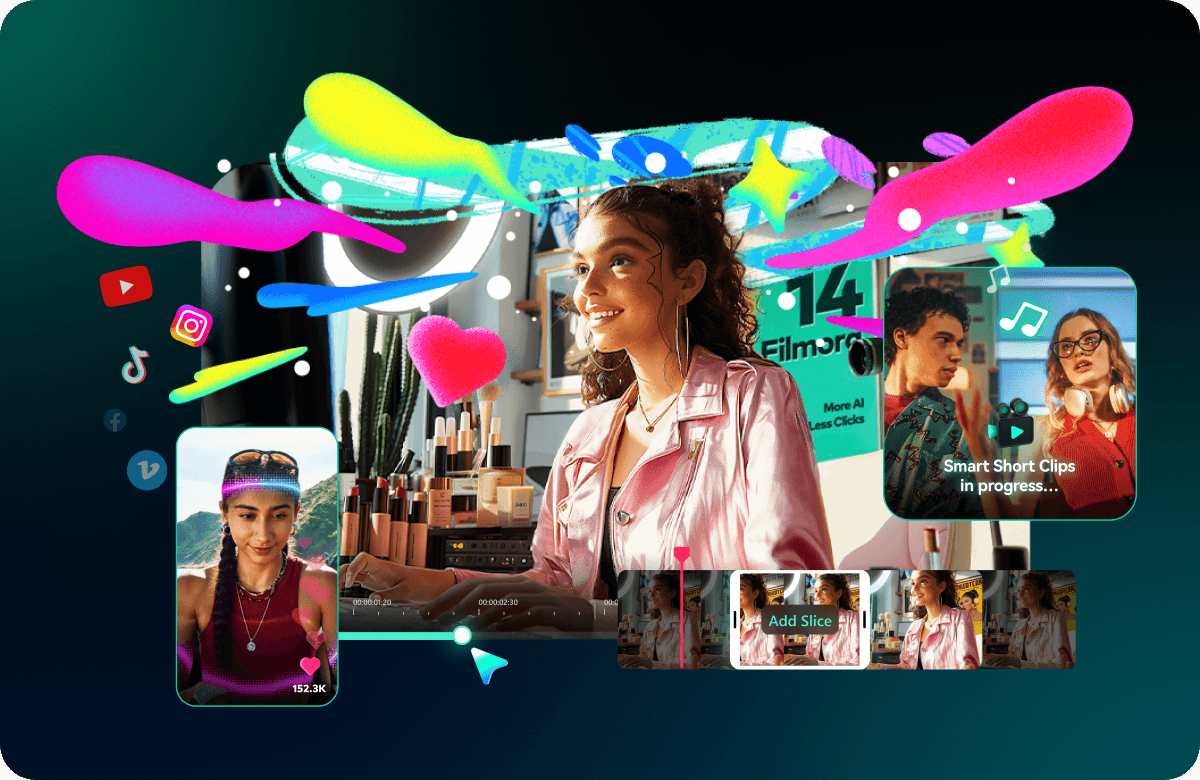
If your main goal is to create videos quickly—without spending weeks learning advanced timelines—Filmora is positioned as a practical editor for everyday creators.
In real workflows, Filmora is often used for:
- Drag-and-drop editing and trimming
- Quick social content with clean transitions
- Captions and pacing improvements
- Repurposing long content into short clips
AI assistance matters most when it reduces “friction tasks,” not when it adds more settings. Many users look for AI features that accelerate common steps—helping content feel polished even when the creator is not a professional editor.
PDFelement and HiPDF: the PDF layer that keeps work moving
PDF problems are rarely creative—they are operational. A client asks for a small edit. A contract needs signatures. A document must be converted and sent in ten minutes. The winner is the tool that solves these tasks without drama.
Wondershare’s PDF tools are typically positioned around practicality:
- Edit PDF content without rebuilding the entire file
- Convert files between common formats
- Organize pages, merge documents, and compress size
- Support signing workflows and approvals
For many people, the best PDF tool is not the most advanced one. It is the one that feels reliable and fast when deadlines are close.
Utilities: solving “unexpected problems” that disrupt your day
Digital work is fragile. Files get deleted. Drives fail. Projects corrupt. Videos won’t open. These moments are rarely planned, but they are common enough to matter—especially if you work with media or handle many client files.
Wondershare utilities are often positioned for those “oh no” moments:
- Recovering lost files when something goes wrong
- Repairing or restoring files that won’t open properly
- Helping users regain access to important work quickly
Most people do not buy utilities because they love software. They buy them because they want a safety net.
A Simple Framework to Choose the Right Wondershare Tool
Wondershare has multiple products, so it helps to match tools to outcomes rather than features. Here is a practical way to decide where to start.
| Your goal | What you actually need | Where Wondershare fits |
|---|---|---|
| Publish more video content | Fast editing, clean output, simple workflow | Filmora as an approachable editor for consistent publishing |
| Handle PDFs daily | Edit, convert, sign, organize without friction | PDFelement / HiPDF for practical document tasks |
| Reduce risk of file disasters | Recovery and repair options when problems happen | Utilities that act as a safety layer for your workflow |
The common theme is workflow stability: creating, editing, sending, and recovering without wasting hours on complexity.
Who Wondershare Is Best For
Wondershare is not only for one audience. It works best for people who need professional results but cannot justify the cost—financial or cognitive—of heavyweight tools.

1) Small creators and solo marketers
If you publish content for a small brand, a local business, or a personal audience, your bottleneck is usually time. You need tools that help you ship consistently. Filmora supports creators who want “good and fast” instead of “perfect and slow.”
2) Small businesses that produce assets in-house
Small businesses create a lot of documents: proposals, contracts, onboarding, invoices, and sales materials. PDF tools become the invisible backbone of operations. When editing and signing workflows are smooth, the business moves faster.
3) Students and educators
Education is increasingly digital. Students submit PDFs, presentations, and videos. Teachers create learning assets, record lessons, and share documents across systems. Practical tools matter because the goal is learning—not fighting file formats.
4) Office teams and remote workers
Remote work multiplies file exchange. You receive documents from clients, coworkers, and external partners. You also work across devices. In this environment, software that reduces friction becomes a productivity advantage.
How to Get the Most Value From Wondershare in Real Work
Tools create leverage when you build repeatable habits around them. Here are a few ways people make Wondershare products feel like part of the workflow rather than “extra software.”
- Create templates: Save common video structures or document layouts so each project starts ahead of the blank page.
- Standardize exports: Decide on output formats (video resolutions, PDF settings) so publishing is consistent and fast.
- Batch similar tasks: Edit multiple clips or process multiple PDFs in one session to reduce context switching.
- Keep a safety plan: If file loss would be expensive, treat utilities as insurance rather than as a last-minute search.
If you want to explore Wondershare’s tools and see which one fits your workflow, you can start here: Wondershare Software.
Final Thoughts: Professional Output Is Becoming a Baseline
Digital work is accelerating. The demand for video, clean documents, and multi-format deliverables is no longer limited to agencies or full-time creators. It is part of normal work for creators, small businesses, students, and remote teams.
The best tools in this environment are not necessarily the most advanced. They are the ones that reduce friction while keeping output professional. That is the role Wondershare aims to play—helping everyday users ship high-quality work without turning software mastery into a second job.
If your workflow includes regular video creation, frequent PDF handling, or the occasional “file disaster,” Wondershare is worth evaluating as a practical toolkit for modern digital life.
FAQ
Is Wondershare only for beginners?
No. Many users choose Wondershare because it speeds up everyday production. The goal is less friction, not lower standards.
What’s the biggest benefit of using simpler tools?
Consistency. When tools feel easy, you publish more, deliver faster, and spend less time troubleshooting.
Do I need multiple Wondershare products?
Not necessarily. Start with the tool that matches your most frequent pain point—video editing, PDF work, or file recovery—and expand only if your workflow demands it.
Is Wondershare useful for small businesses?
Yes. Many small teams need marketing videos, editable PDFs, and reliable document workflows without building a full creative department.
Where should I start?
Start with your main output. If your priority is content, explore Filmora. If your priority is operations and documents, explore PDFelement/HiPDF. If you worry about losing files, consider utilities as a backup plan.


